
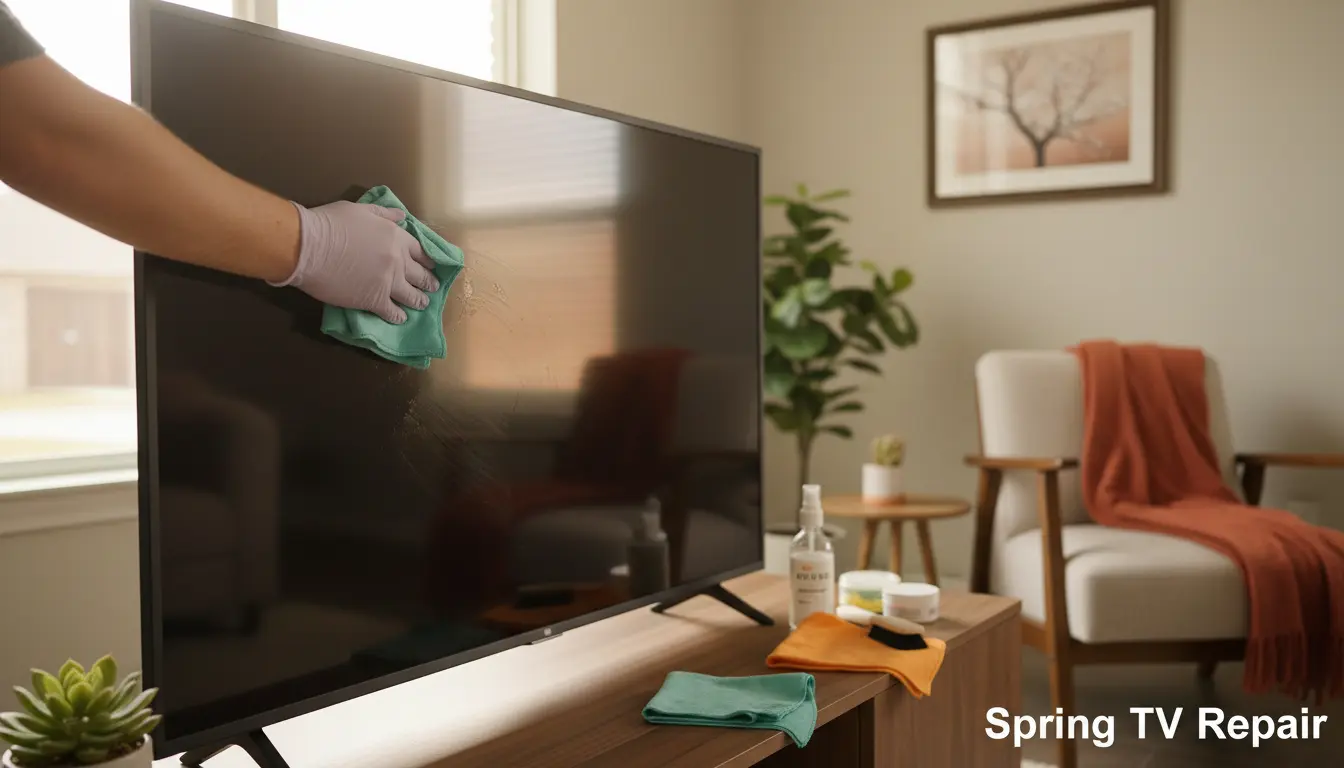
As the warm Texas sun starts shining brighter in Spring, it’s the perfect time for families to refresh their homes and routines. But amid the spring cleaning frenzy, don’t forget about your trusty TV—the heart of family movie nights and binge-watching sessions. Dust, fingerprints, and pet hair can quickly turn your high-definition haven into a hazy mess, especially in our humid Gulf Coast climate. At Spring TV Repair, we’ve seen it all: screens that look like abstract art from built-up grime. That’s why we’re sharing these DIY TV cleaning hacks designed specifically for busy Spring, TX households. These simple, safe tips will help you maintain that crisp picture without risking damage. And if your TV needs more than a wipe-down, our LED TV Repair services are just a call away.
Whether you’re in the family-friendly neighborhoods of Cochrans Crossing or enjoying the suburban vibes of Pebble Creek, keeping your TV clean enhances your viewing experience and extends its life. Let’s dive into these practical hacks that require minimal tools and effort.
Why Clean Your TV Regularly in Spring, TX?
Spring in Spring, TX brings blooming flowers, outdoor barbecues, and unfortunately, more pollen and dust floating through open windows. This airborne debris loves to settle on your TV screen, reducing visibility and potentially causing long-term issues like overheating. Regular cleaning not only improves picture quality but also prevents static buildup that attracts more dirt.
For families with kids and pets, TVs endure daily fingerprints and fur. A clean screen means safer viewing—less eye strain during those extended family gatherings. Plus, in our local area near The Woodlands, where homes often feature large entertainment centers, a spotless TV ties the room together aesthetically.
The Risks of Skipping TV Maintenance
Neglecting your TV can lead to scratches from abrasive cleaners or moisture damage from improper wiping, which might necessitate backlight replacement. We’ve repaired countless units in Spring where DIY gone wrong turned a simple clean into a costly fix. By following these hacks, you’ll avoid common pitfalls and keep your warranty intact.
Essential Tools for Safe TV Cleaning
Before you start, gather these household staples—no need for fancy gadgets:
- Microfiber cloths: Soft and lint-free, perfect for screens.
- Distilled water: Prevents mineral spots from tap water.
- Isopropyl alcohol (70% or less): For tougher spots on frames.
- Compressed air canister: Great for dusting vents.
- Soft brush: Like a makeup brush for crevices.
These items are easily found at local stores in Humble or online. Avoid paper towels or household sprays—they can scratch or leave residue.
Step-by-Step DIY TV Cleaning Hacks
Hack 1: Dusting the Screen and Frame
Start with the basics to remove loose particles. Power off and unplug your TV—safety first, especially with kids around.
- Hold a microfiber cloth lightly against the screen and gently wipe in one direction, top to bottom. This mimics the natural fall of dust.
- For edges, use the soft brush to loosen debris, then follow with the cloth.
- In Spring’s pollen-heavy season, do this weekly to combat outdoor intruders sneaking in through screened windows.
Pro tip: If your TV is wall-mounted, a extendable duster helps reach without straining.
Hack 2: Tackling Fingerprints and Smudges
Kids’ hands and snack sessions leave greasy marks that blur your favorite shows. Mix a solution of equal parts distilled water and isopropyl alcohol in a spray bottle.
- Lightly mist the cloth (never the screen) and wipe in circular motions for stubborn spots.
- For OLED or QLED models common in Spring homes, this gentle method preserves the anti-glare coating.
- Dry immediately with a fresh microfiber cloth to avoid streaks.
This hack works wonders after family game nights—your screen will look brand new without harsh chemicals.
Hack 3: Cleaning Remote Controls and Ports
The remote is often the dirtiest part, harboring bacteria from couch lounging. Disassemble if possible (check your manual).
- Wipe buttons with an alcohol-dampened cloth.
- Use compressed air to clear crumbs from between keys—ideal for families with toddlers.
- For HDMI ports, a quick blast of air prevents connectivity issues, saving you from smart TV troubleshooting visits.
In humid Spring weather, moisture can creep into ports, so monthly checks are key.
Hack 4: Vent and Back Panel Maintenance
Overheating is a top issue in Texas summers, but dust-clogged vents exacerbate it.
- Lay the TV face-down on a soft blanket.
- Use compressed air in short bursts to blow out dust from vents—hold the can upright.
- Wipe the back panel with a dry cloth.
For larger setups in Louetta homes, this prevents performance dips during hot evenings.
Hack 5: Eco-Friendly Hacks for Green Families
Spring, TX families love going green—try a vinegar-water mix (1:1) for natural cleaning. It’s effective on frames and non-screen areas. For pet hair, a lint roller wrapped around a cloth works like magic without static.
These sustainable tips align with our community’s outdoor lifestyle, reducing chemical use while keeping your TV pristine.
Advanced Tips for Different TV Types
Not all TVs are created equal. For plasma models, which we still service at Spring TV Repair via plasma TV repair, use only dry cloths to avoid static discharge. LCDs tolerate mild solutions better, but always test in a corner.
Smart TVs with touch interfaces need extra care—our tuner repair experts recommend avoiding excess moisture near sensors.
FAQ: Common TV Cleaning Questions for Spring Families
How often should I clean my TV in Spring, TX?
With our seasonal pollen and dust, aim for bi-weekly screen wipes and monthly deep cleans. Adjust based on household traffic—pets and kids mean more frequent touch-ups.
Can I use household cleaners on my TV screen?
No! They often contain ammonia or abrasives that damage coatings. Stick to the distilled water and alcohol mix we recommended to avoid needing professional repairs.
What if cleaning doesn’t fix my blurry picture?
It might be an internal issue like a failing backlight. Contact Spring TV Repair for diagnostics—we serve all of Spring and beyond.
Is it safe to clean a TV while it’s on?
Absolutely not. Always unplug to prevent shocks, especially in homes with curious children.
How do I clean a curved TV screen?
Use straight-line wipes following the curve’s contour. Our DIY hacks adapt easily, but for delicate models, professional advice ensures no scratches.
Conclusion: Keep Your Family’s Entertainment Sparkling
With these DIY TV cleaning hacks, Spring, TX families can enjoy clearer, brighter viewing all season long. From dusting pollen away to banishing fingerprints, these tips empower you to maintain your TV like a pro. Remember, prevention is better than cure—regular care avoids costly LED TV repair down the line.
At Spring TV Repair, we’re passionate about keeping your home entertainment running smoothly. Serving neighborhoods like The Woodlands and Pebble Creek, our team is ready to help with any issues. Give your TV the spring refresh it deserves—schedule a service today at Spring TV Repair and see the difference expert care makes!